
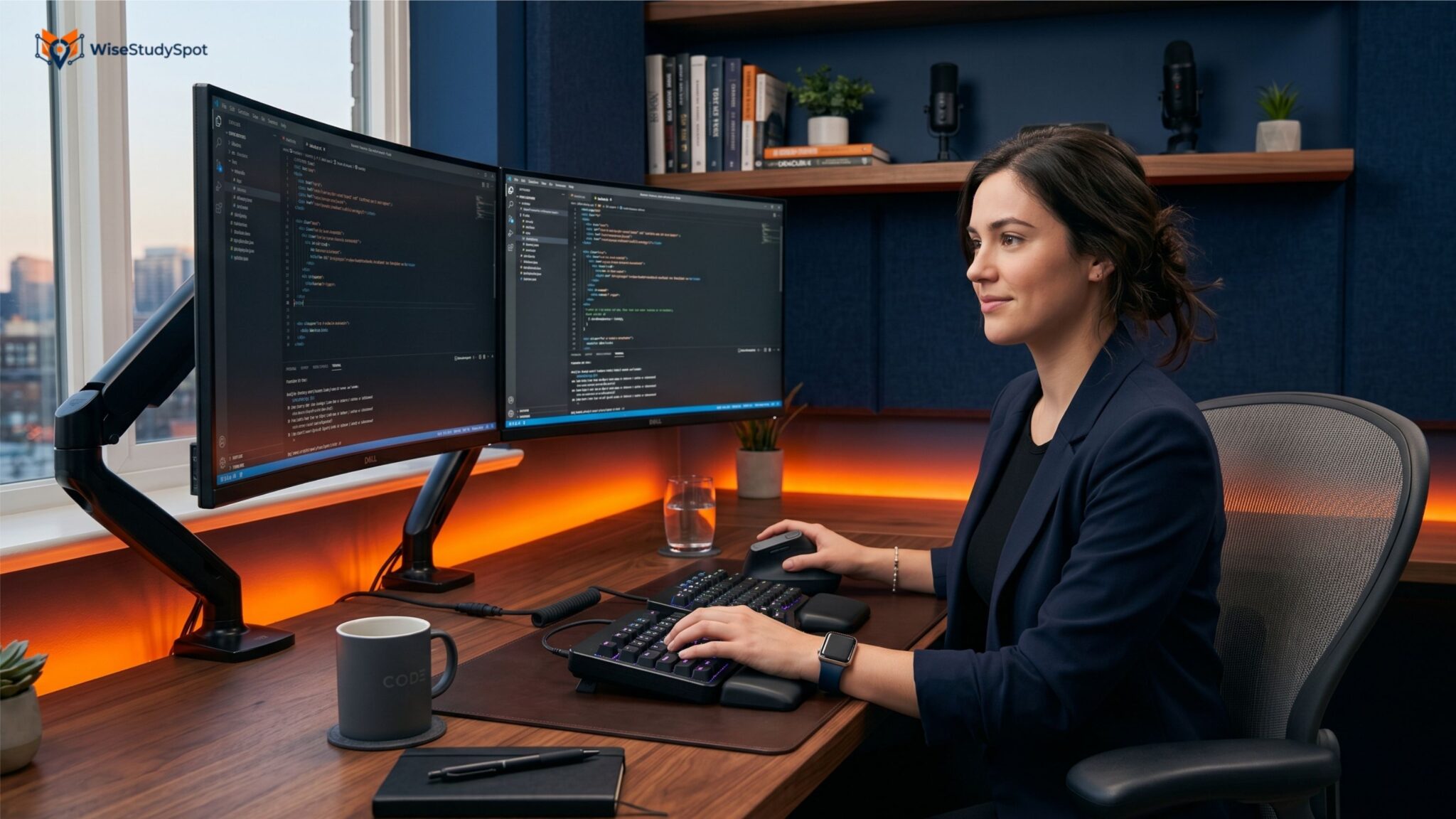
For web developers, SEO professionals, content creators, and digital marketers, a computer workstation is where much of the working day takes place. Spending eight or more hours at a desk can become uncomfortable when the keyboard, mouse, monitor, and chair are not properly positioned.
In 2026, ergonomic technology has become more accessible, with options ranging from split keyboards and vertical mice to adjustable monitor arms and sit-stand desks.
The goal of an ergonomic setup is not simply to buy expensive gadgets. It is to create a workspace that supports a comfortable posture, reduces unnecessary strain, and makes everyday tasks easier to perform.
Why Workspace Ergonomics Matters
Developers and digital marketers often spend long periods typing, using a mouse, reading dashboards, or reviewing websites.
An unsuitable workstation can contribute to discomfort in areas such as the:
-
Neck
-
Shoulders
-
Wrists
-
Hands
-
Lower back
-
Eyes
Ergonomic equipment can help position frequently used devices more comfortably. However, hardware is only one part of an ergonomic workspace. Regular movement, appropriate desk height, monitor positioning, and taking breaks are also important.
Best Ergonomic Keyboards for Coding
A keyboard is one of the most frequently used tools for developers. When choosing an ergonomic keyboard, the most important factors include wrist position, key layout, typing style, and desk space.
Split Ergonomic Keyboards
Split keyboards separate the left and right sections of the keyboard. Some models allow users to adjust the distance and angle between the two halves.
This can give users more flexibility when positioning their hands and shoulders.
For developers who spend hours writing code, features such as programmable keys, mechanical switches, adjustable layouts, and layers can also improve workflow efficiency.
For example, frequently used shortcuts can be assigned to programmable keys instead of requiring repeated combinations.
Low-Profile Ergonomic Keyboards
Some professionals prefer low-profile keyboards because they require less key travel and can provide a more compact desk setup.
They can be particularly useful for developers who switch between a laptop and external monitor throughout the day.
The best keyboard depends heavily on personal preference. A split mechanical keyboard may work well for one developer while another may prefer a conventional low-profile design.
Vertical Mice for Developers and SEO Professionals
The mouse is another important part of an ergonomic workstation.
A traditional mouse keeps the palm in a relatively horizontal position. Vertical mice rotate the hand into a more upright position, which some users find more comfortable during extended computer use.
Vertical mice can be useful for tasks such as:
-
SEO research
-
Spreadsheet work
-
Website audits
-
Graphic design
-
Analytics dashboards
-
Content editing
-
General office work
When choosing a vertical mouse, look at its size, sensor accuracy, button placement, connectivity, and compatibility with your operating system.
A comfortable grip is often more important than having the highest possible DPI.
Trackballs and Alternative Pointing Devices
A vertical mouse is not the only alternative to a traditional mouse.
Trackballs allow users to control the cursor by moving a ball rather than moving the entire device across the desk.
They can be useful for people who want to reduce large arm movements or have limited desk space.
Other options include ergonomic trackpads and pen-based input devices. The right choice depends on the type of work being performed and personal comfort.
Monitor Arms for Better Screen Positioning
Developers and digital marketers frequently work with large monitors or multiple displays.
A monitor arm can make it easier to position a screen at a comfortable height and viewing distance.
Instead of keeping a monitor fixed on its original stand, an adjustable arm can allow users to change:
-
Screen height
-
Viewing angle
-
Distance
-
Horizontal position
-
Portrait or landscape orientation
For developers working with long code files, a second monitor in portrait orientation can also be useful for viewing documentation, logs, or lengthy webpages.
Sit-Stand Desks for Flexible Work
Sit-stand desks allow users to alternate between sitting and standing during the workday.
Electric models can adjust their height using simple controls, while some advanced desks include programmable height presets.
For example, a developer can save one height for sitting and another for standing.
The main benefit is flexibility rather than simply standing for the entire day. Changing positions throughout the workday can make a desk setup more dynamic.
Ergonomic Desk Accessories
Small accessories can also improve a workstation.
Monitor Stands
A ultrawide monitor stand can raise a screen to a more suitable height without requiring a full monitor arm.
Keyboard Wrist Rests
A wrist rest can provide additional support for some users, particularly when positioned correctly. It should not force the wrists into an awkward angle.
Footrests
A footrest can be useful when a desk or chair combination makes it difficult to place the feet comfortably on the floor.
Anti-Fatigue Mats
For people who regularly use a standing desk, an anti-fatigue mat can provide cushioning and make standing more comfortable.
Ergonomic Setup for Developers
Developers often spend long periods switching between code editors, terminals, browsers, documentation, and development tools.
A practical developer workstation could include:
-
Ergonomic keyboard
-
Vertical mouse or alternative pointing device
-
Adjustable monitor arm
-
External monitor
-
Height-adjustable desk
-
Comfortable office chair
-
Proper desk lighting
-
Laptop stand when using a laptop
Dual-monitor setups can also improve productivity by allowing developers to keep code on one screen and documentation, browser windows, or testing environments on another.
However, more monitors are not automatically better. The setup should match the individual’s workflow.
Ergonomic Setup for SEO Professionals
SEO professionals have slightly different workstation requirements.
An SEO specialist may spend hours working with:
-
Google Search Console
-
Google Analytics
-
SEO platforms
-
Keyword research tools
-
Spreadsheets
-
Content management systems
-
Website crawlers
-
Reporting dashboards
A large, adjustable monitor or dual-monitor setup can make it easier to compare data without constantly switching between windows.
A comfortable mouse and keyboard are equally important when performing repetitive research and reporting tasks.
Ergonomics for Remote Workers
Remote professionals have additional challenges because home workstations are often created around existing furniture rather than dedicated office equipment.
A dining table, laptop, and basic chair may be sufficient for occasional work but can become uncomfortable during long working sessions.
A simple upgrade can include:
-
Raising the laptop using a stand.
-
Adding an external keyboard and mouse.
-
Positioning the monitor close to eye level.
-
Adjusting the chair and desk height.
-
Improving desk lighting.
-
Taking regular movement breaks.
These changes do not necessarily require expensive equipment.
How to Choose Ergonomic Tech Gadgets
The most expensive ergonomic product is not necessarily the best option.
Before buying a gadget, consider:
Comfort
Can you use it for extended periods without feeling uncomfortable?
Adjustability
Can the device be adjusted to fit your preferred position?
Compatibility
Will it work with your computer, operating system, and existing equipment?
Desk Space
Large ergonomic keyboards, monitor arms, and other accessories can require additional space.
Workflow
Does the product actually improve the tasks you perform every day?
Return Policy
Ergonomic products are highly personal. A return option is useful when testing keyboards, mice, or other input devices.
Do Ergonomic Gadgets Really Improve Productivity?
Ergonomic technology can make a workstation more comfortable and efficient, but it should not be viewed as a guaranteed productivity solution.
A programmable keyboard may reduce repetitive shortcuts for a developer. A monitor arm may make screen positioning easier. A vertical mouse may feel more comfortable to a particular user.
But productivity also depends on software, workflow, environment, workload, and individual preferences.
The best ergonomic setup is therefore the one that fits the user’s body, work habits, and daily tasks.
The Future of Ergonomic Workspaces in 2026
Modern workstations are becoming more adjustable and connected.
Height-adjustable desks, programmable peripherals, wireless devices, smart lighting, and monitor arms are increasingly common in professional home offices and corporate environments.
Some manufacturers are also adding software-based controls and usage reminders to connected desk products. These features can encourage users to change positions or adjust their workspace, although they should complement rather than replace healthy work habits.
The broader trend is toward flexible workspaces that allow users to adapt their environment throughout the day.
Conclusion
Ergonomic tech gadgets can make a significant difference to the comfort and usability of a modern workstation. For developers, SEO professionals, and digital marketers, products such as split keyboards, vertical mice, monitor arms, sit-stand desks, and laptop stands can help create a more flexible working environment.
The best approach is to build the workspace around actual needs rather than buying gadgets simply because they are marketed as ergonomic.
A properly positioned monitor, comfortable keyboard and mouse, suitable desk height, supportive chair, good lighting, and regular movement can work together to create a workspace that is more comfortable for long digital work sessions in 2026.